
Netbox Topology Views Plugin
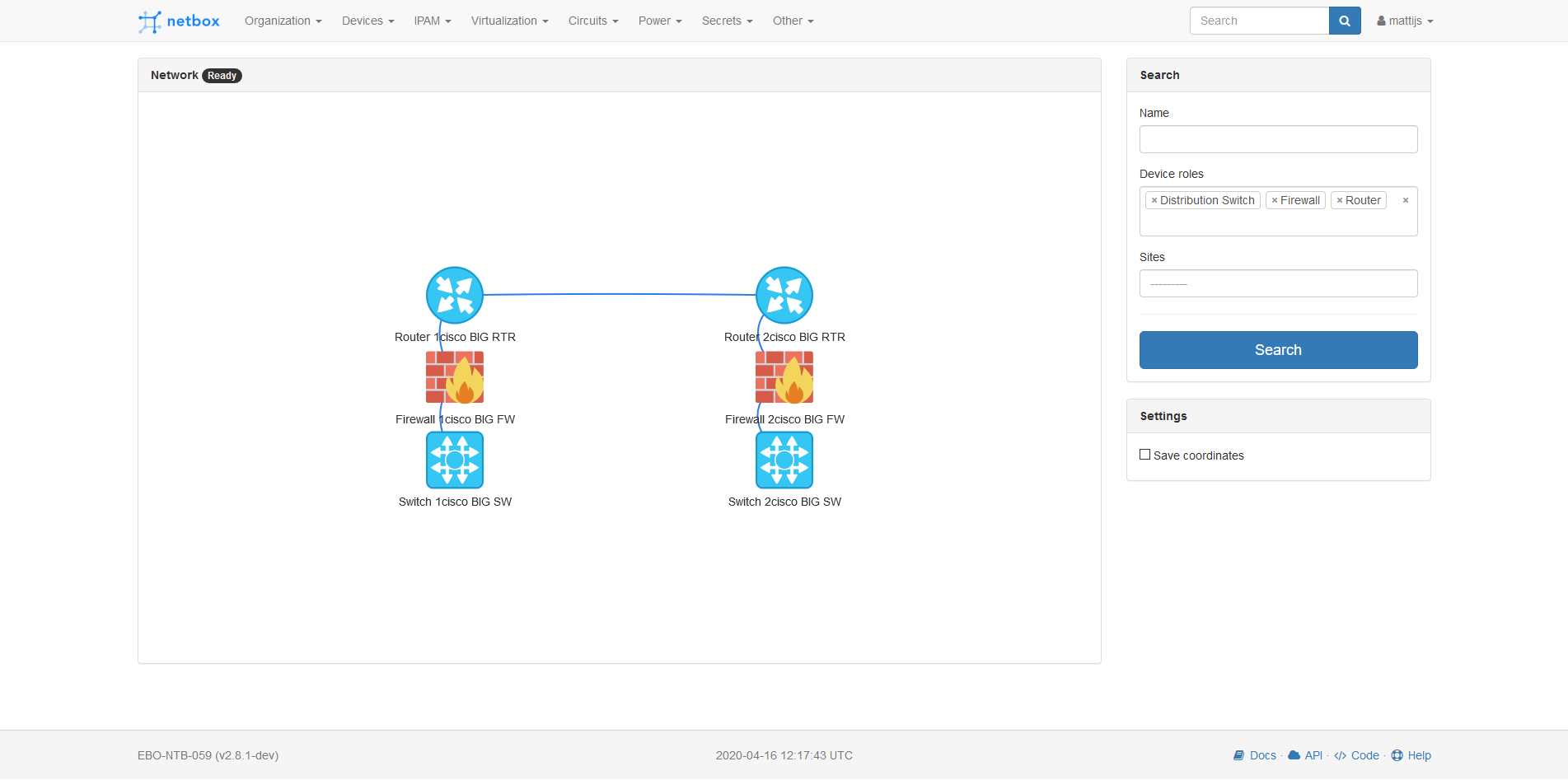
Create topology views/maps from your devices in netbox. Support to filter on name, site and device role.
Preview
Install
Run pip install netbox-topology-views in your virtual env.
Add 'netbox_topology_views' to the PLUGINS array in your django configuration file.
Then run python3 manage.py collectstatic --no-input
Custom field: coordinates
There is also support for custom fiels.
If you create a custom field "coordinates" for "dcim > device" with type "text" and name "coordinates" you will see the same layout every time.
The coordinates can then be provided as: "X;Y"
Configure
If you want to override the default values configure the PLUGINS_CONFIG in your netbox configuration.py.
Example:
PLUGINS_CONFIG = {
    'netbox_topology_views': {
        'device_img': 'router,switch,firewall',
        'preselected_device_roles': 'Router, Firewall'
    }
}
| Setting | Default value | Description |
|---|---|---|
| device_img | 'access-switch,core-switch,firewall,router,distribution-switch,backup,storage,wan-network,wireless-ap,server,internal-switch,isp-cpe-material,non-racked-devices,power-units' | The slug of the device roles that you have a image for. |
| preselected_device_roles | 'Firewall,Router,Distribution Switch,Core Switch,Internal Switch,Access Switch,Server,Storage,Backup,Wireless AP' | The full name of the device roles you want to pre select in the global view. Note that this is case sensitive |
| allow_coordinates_saving | False | (bool) Set to true if you use the custom coordinates fields and want to save the coordinates |
| ignore_cable_type | 'poweroutlet,powerport' | The cable types that you want to ignore in the views |
Custom Images
You upload you own custom images to the netbox static dir (static/netbox_topology_views/img/).
These images need to be named after de device role slug and have the .png format/extension.
If you add your own image you also need to add the slug to the device_img setting.
Use
Go to the plugins tab in the navbar and click topology or go to NETBOX_URL/plugins/topology-views/ view your topologies